Getting Started
Installing the eSIM is easy, while it can vary between iPhones and Android / handsets you will be taken through steps and our FAQ provide installation instructions for variants.
Installing the eSIM is easy, while it can vary between iPhones and Android / handsets you will be taken through steps and our FAQ provide installation instructions for variants.
You will receive a Welcome email with details to register your account and a QR code for your eSIM.
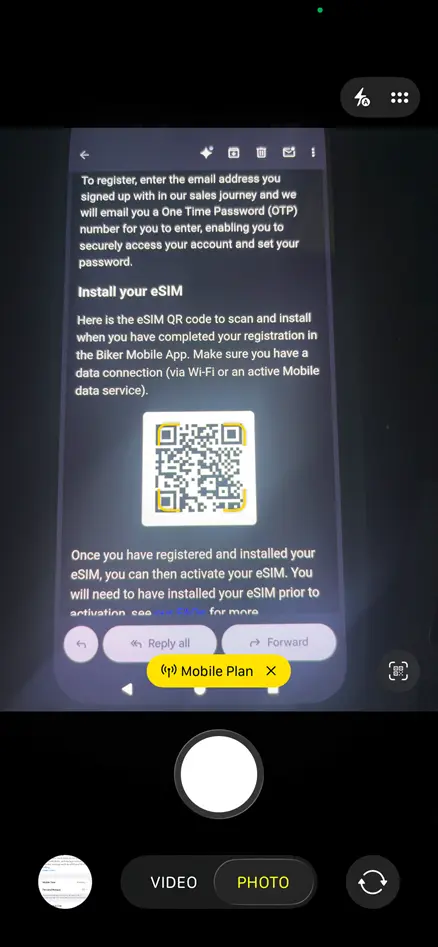
Open your phone camera to scan the QR code in the email
Point the phone camera at the QR code -in this case the welcome email on another device- and click the yellow ‘Mobile Plan’ button
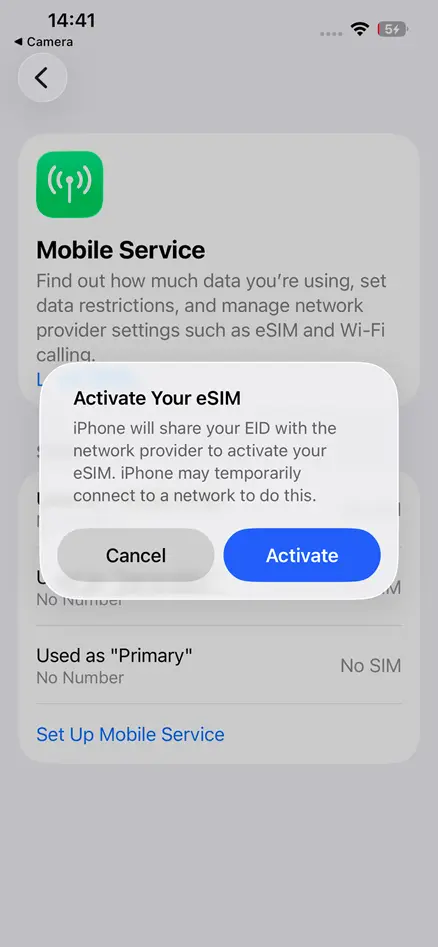
This opens the phone Mobile Service settings screen with a popup asking if you want to Activate your eSIM . Click ‘Activate’
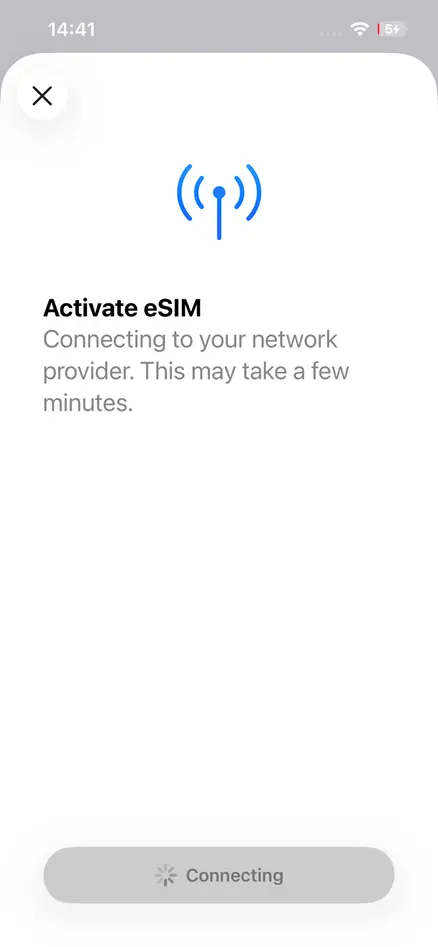
The screen refreshes displaying ‘Connecting to your network provider. This may take a few minutes.’ with grey ‘Connecting’ lozenge at the bottom of the screen
The screen will transition to ‘Activate eSIM
Your new eSIM from Biker Mobile is ready to Activate’
Press the blue ‘Continue’ button
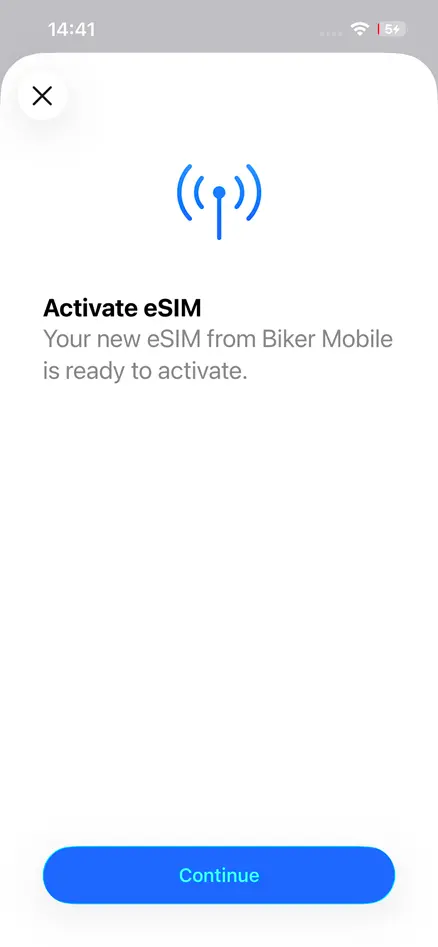
On pressing the Continue button the Lozenge button refreshes becoming grey and displaying ‘Activating’
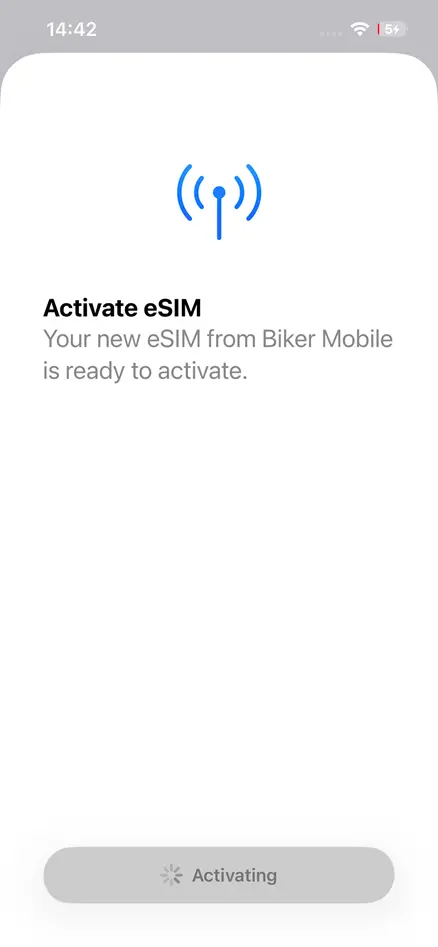
After a few seconds this refreshes again displaying ‘Connecting to network’
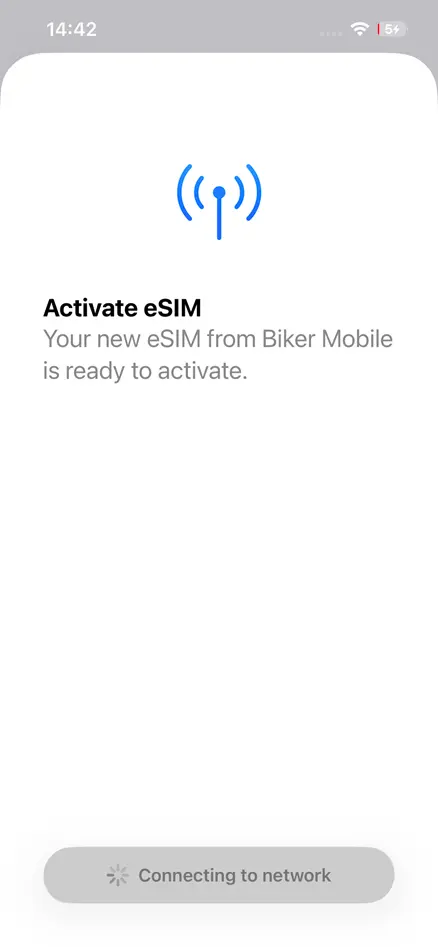
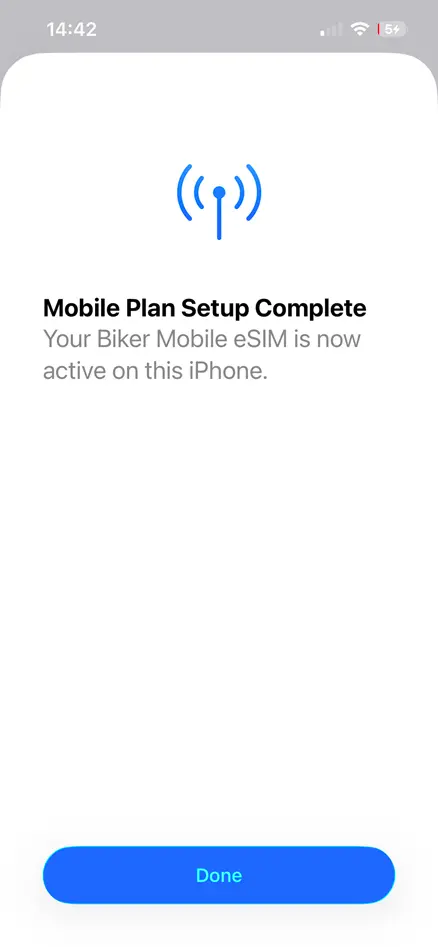
Finally ‘Mobile Plan Setup Complete’ is displayed. Click ‘Done’
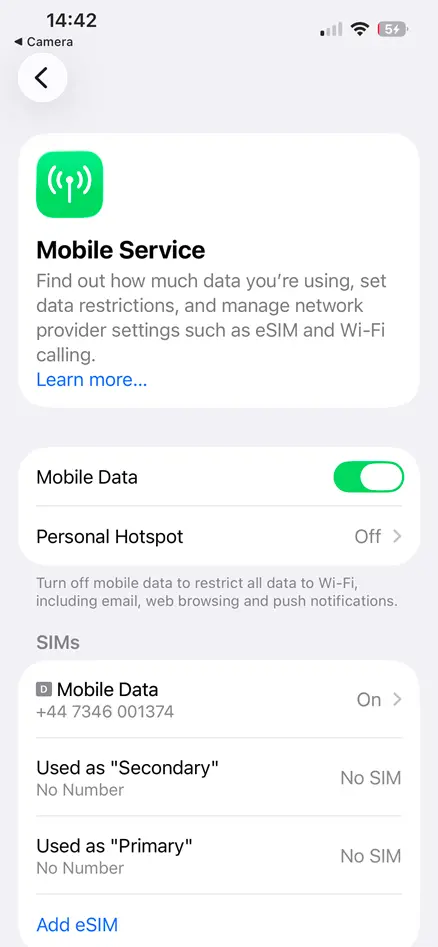
You are then taken to Mobile Service settings, now with an added entry for the new eSIM under ‘SIMs’
By clicking on the newly listed eSIM you can change the label name and update other settings -depending whether you have more than one SIM and which sim you wish to be primary or secondary, and which SIM you wish to use for calls, Text or Data