Getting Started
Installing the eSIM is easy, while it can vary between iPhones and Android / handsets you will be taken through steps and our FAQ provide installation instructions for variants.
Installing the eSIM is easy, while it can vary between iPhones and Android / handsets you will be taken through steps and our FAQ provide installation instructions for variants.
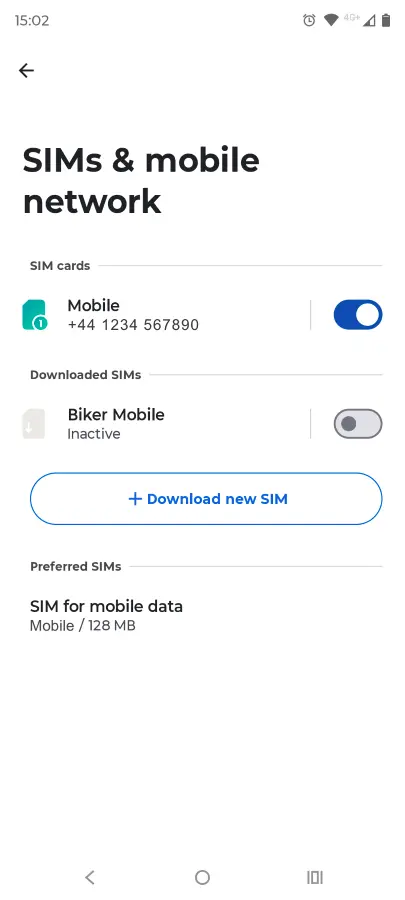
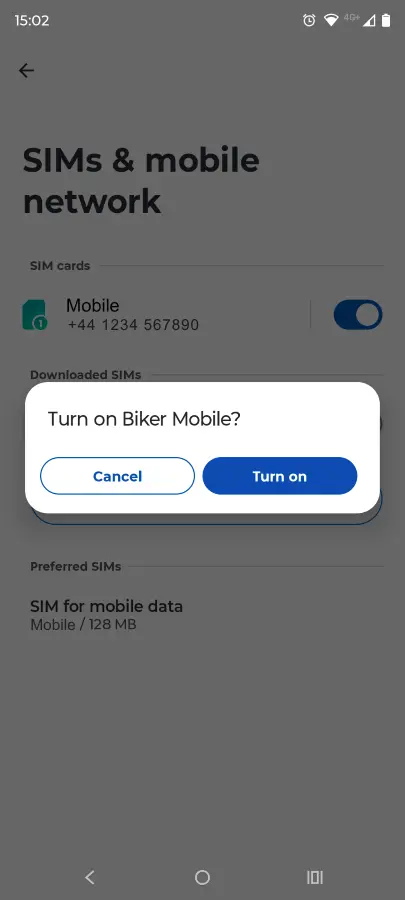
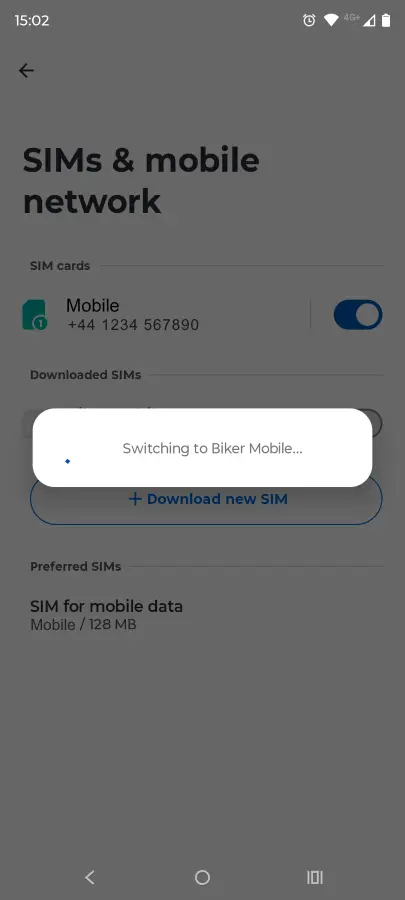
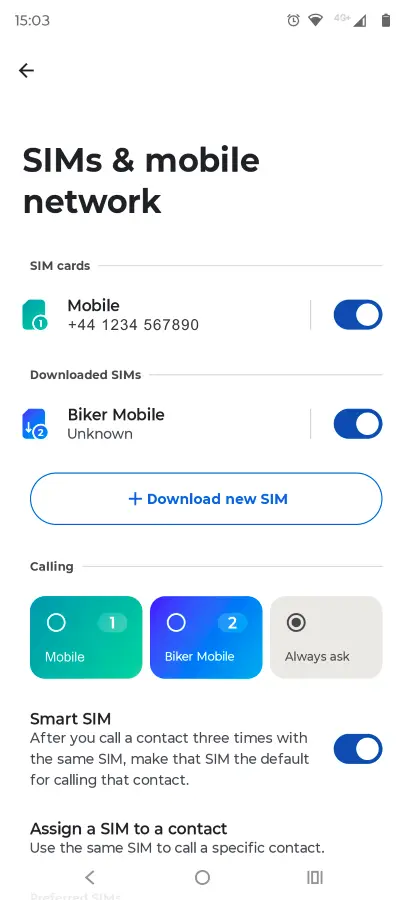
The following is the process installing on a moto g85.
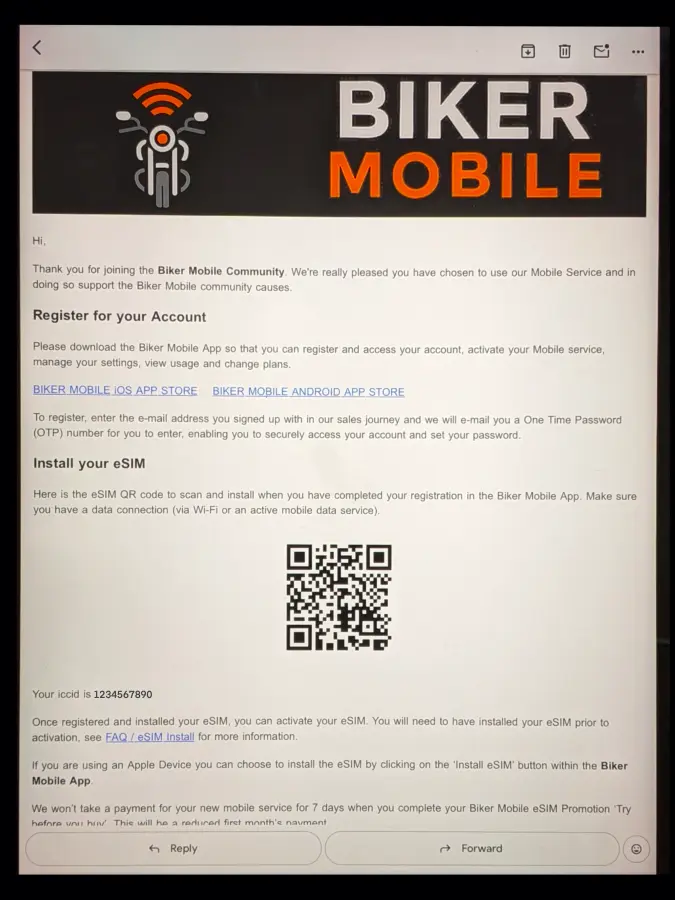
Open your phone camera to scan the QR code in the email
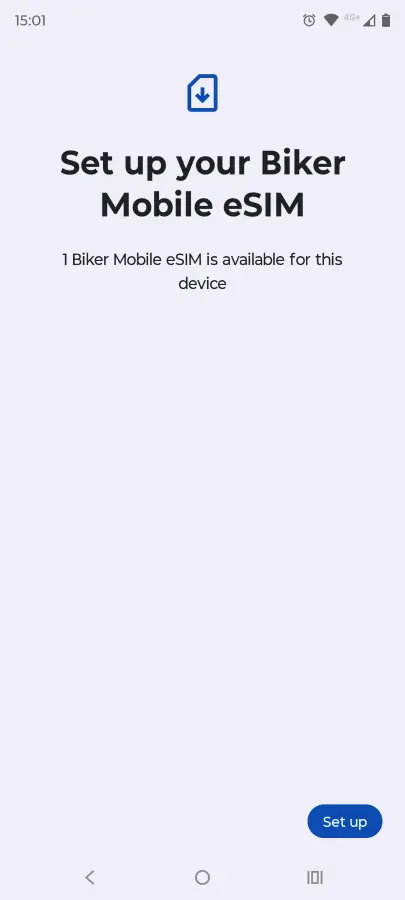
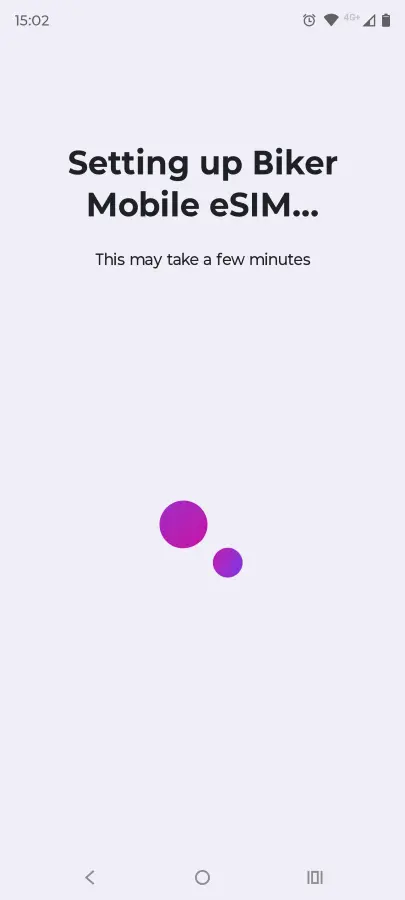
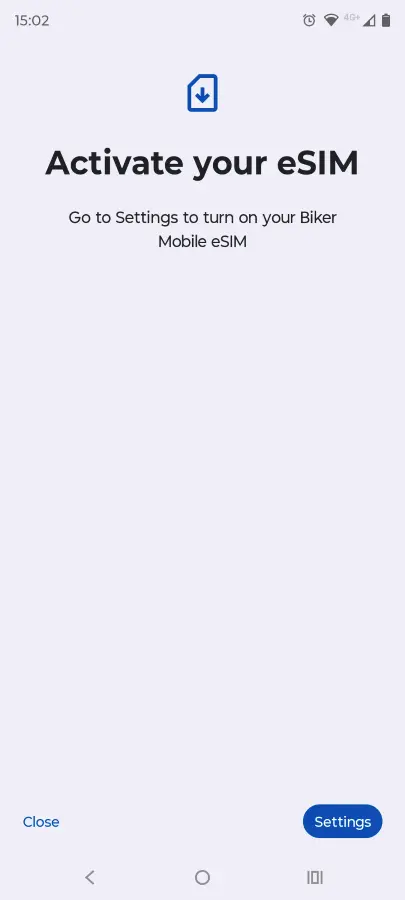
Click ‘Set up’ for it to start the connection to your new eSIM. Then go to Settings and select the new eSIM to activate
In Settings, use the toggle to switch the new eSIM on
Once you have selected to use the SIM, it will become active. You can then also select preferences for Calls, SMS and Data if you have another SIM